
Warranties & memberships · 5 min read
Turn warranty and membership dates into reminders—not billing promises
Keep warranty and membership end dates on your timeline with useful reminders.
Small dates matter, too.
At a glance
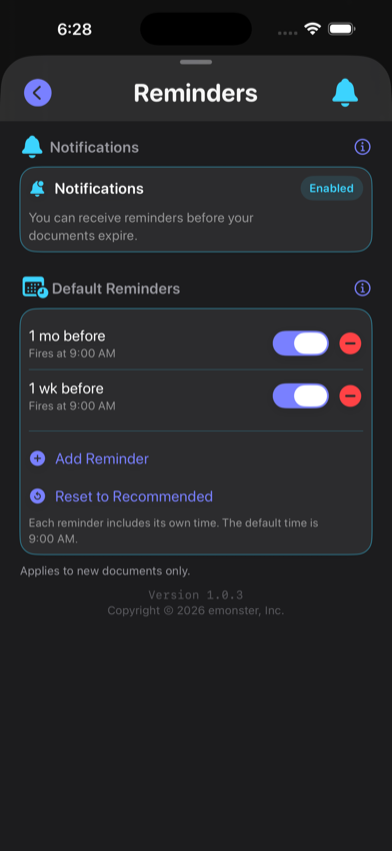
Create a Warranty or Membership record with the provider’s documented expiration or renewal date, add reminder lead times that leave time to act, and update the record after a claim, renewal, or cancellation. RenewalKit does not store a receipt image, file a claim, charge a card, cancel a membership, or manage a subscription bill.
A date reminder is useful for product coverage, professional associations, clubs, service plans, and other expiring benefits. The key is to record the right date and keep the provider’s terms somewhere authoritative.
Set it up in RenewalKit
Choose the right type
Use Warranty for product or service coverage, Membership for an access or affiliation period, or Subscription when the date relates to a recurring service.
Confirm what the date means
Check whether it is a coverage end date, renewal date, cancellation deadline, or billing date. RenewalKit has one expiration field; do not combine different deadlines.
Enter a clear title and date
Manual entry is often simplest. Add a short provider or product label and the authoritative date. Optional notes are stored in the record, so avoid adding information you do not need.
Set an action-sized lead time
Choose an earlier reminder if a claim requires inspection or paperwork, or if a membership must be cancelled before an automatic renewal window.
Record the new outcome
After renewal, cancellation, or replacement, update the date or archive the old record. Confirm any financial or legal outcome directly with the provider.
What to verify
Consumer and cancellation rules vary by jurisdiction
Notice periods, cancellation methods, warranty rights, and claim deadlines can differ by country, state or province, and provider terms. Use the reminder as a prompt, then confirm the current rule with the provider and an applicable official source.
RenewalKit is not a bill manager
It does not connect to a bank, card, merchant, or subscription provider and cannot identify a charge.
A warranty date is not coverage advice
Coverage can depend on purchase proof, exclusions, registration, location, transfer, or claim timing. Read the provider’s terms.
No document-image vault
RenewalKit does not retain a scanned receipt or warranty image. Keep required evidence in a secure location appropriate for the provider.
Troubleshooting
The membership renews automatically.
Record the actionable cancellation or review deadline as its own date if that is what you need to remember. RenewalKit will not cancel it for you.
The warranty has several coverage periods.
Create separate clearly titled records for materially different deadlines rather than hiding several dates in one note.
The provider changed the date.
Update RenewalKit only from the provider’s official confirmation, then verify the new scheduled reminder.
Questions
Can RenewalKit store my receipt or warranty photo?
No scan image is retained as part of the record. Keep required proof in a separate secure location.
Will RenewalKit cancel a membership or subscription?
No. It only stores the date and schedules reminders.
Can the app file a warranty claim?
No. Contact the manufacturer, retailer, or warranty administrator and follow its current process.
Does RenewalKit update a recurring renewal date automatically?
No. Update the date after the provider confirms renewal or cancellation.
Sources & further reading
- Apple — Scheduling a Notification Locally
Local reminder scheduling model.
- RenewalKit on the App Store
Current app scope; provider terms remain authoritative.