
Local reminders · 6 min read
How RenewalKit reminders work when the app is not open—or the network is off
Understand local notifications, offline delivery, and the settings worth checking.
A little peace of mind.
At a glance
RenewalKit asks iOS to schedule calendar-based local notification requests on the device. Once a future request is scheduled and notifications remain allowed, iOS can present it without RenewalKit being open and without a push server. Focus, Scheduled Summary, permissions, device settings, and operating-system limits still affect presentation; iCloud, purchases, updates, configuration, and optional telemetry can require a network.
“Local” describes where the reminder request is scheduled, not a guarantee that every alert will interrupt you. Reliable setup means checking the date, permission, scheduled list, and the device’s notification controls.
Set it up in RenewalKit
Allow notifications in context
RenewalKit requests permission when the first record is saved. If permission is denied, iOS ignores attempts to present notifications until you change the setting.
Review the default schedule
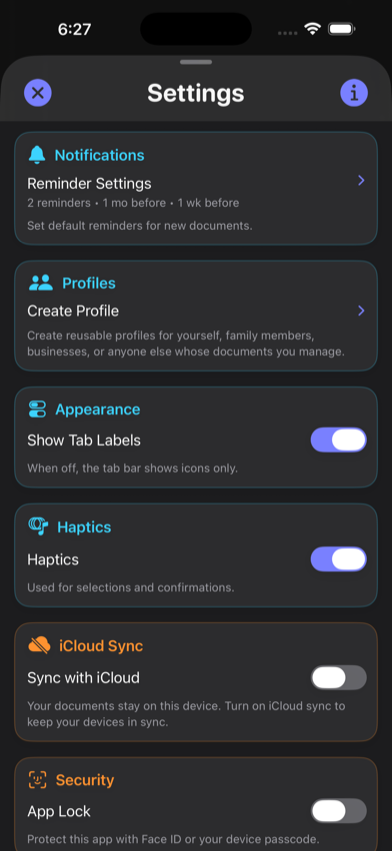
New records start with one-month and one-week reminders at 9:00 AM, plus the app can schedule an expiration-day notification. Edit or remove rules to fit the real task.
Keep each trigger in the future
RenewalKit skips reminder times that have already passed. An already-expired record can still be tracked, but it cannot produce a past notification.
Verify the scheduled list
Open Notifications in RenewalKit to see upcoming requests. After editing, saving causes the app to rebuild its managed schedule.
Check iOS presentation controls
Review alert, sound, badge, Focus, and Scheduled Summary settings. Test on the actual device rather than assuming a scheduled request will be prominent.
What to verify
Official deadlines remain jurisdiction-specific
Renewal windows, grace periods, and proof requirements can differ by country, state or province, and issuing authority. A local notification does not extend a deadline or replace an official notice.
Permission can change
People can disable notifications or individual presentation types at any time in iOS Settings.
The operating system presents the alert
RenewalKit schedules the request, while iOS decides how it appears under the current Focus, summary, and device state.
Some features are not offline
App Store purchases and restores, optional iCloud sync, updates and remote configuration, and optional analytics or diagnostics use network services.
Troubleshooting
Notifications are denied.
Open iOS Settings for RenewalKit, allow notifications, then return to the app and save or sync the relevant record so future requests can be scheduled.
The request is scheduled but no banner appeared.
Check Focus, Scheduled Summary, alert and sound settings, and Notification Center history. A local request does not always produce an immediate interrupting banner.
A reminder disappeared after editing.
Confirm the revised fire time is still in the future, the record is not archived, its rule is enabled, and notification authorization remains active.
Questions
Does RenewalKit use a push server for expiration reminders?
The expiration reminders described here are scheduled as local iOS notification requests, not sent from a RenewalKit push server.
Will a local reminder work when RenewalKit is closed?
iOS can present a scheduled local notification when the app is not running, provided the request is still pending and notifications are allowed.
Can a scheduled reminder appear in airplane mode?
A previously scheduled local notification does not need a network connection. Device settings and iOS behavior still apply.
Are reminders guaranteed to interrupt me?
No. Permission, Focus, Scheduled Summary, muted sounds, device state, and operating-system behavior can change presentation.
Sources & further reading
- Apple — Scheduling a Notification Locally
iOS local scheduling and system delivery behavior.
- Apple — Asking Permission to Use Notifications
Authorization, provisional delivery, and mutable notification settings.