
Passport NFC · 7 min read
How Passport NFC import works in RenewalKit
Read a supported passport with MRZ and NFC, then check the fields before saving.
Scan. Check. Save.
At a glance
RenewalKit scans the passport’s MRZ to derive temporary BAC access material, opens an NFC session with a supported ePassport, reads its DG1 MRZ identity data, and sends the result to a confirmation screen. It does not read the portrait, verify authenticity, certify the holder, or determine travel eligibility.
The chip import is a faster input path for a narrow set of fields. It is not a digital passport wallet or inspection system. Compatibility depends on the device, passport chip, MRZ quality, and the chip access method the passport supports.
Set it up in RenewalKit
Use a compatible physical ePassport
You need an NFC-capable iPhone or iPad and a supported passport with a readable contactless chip and visible MRZ.
Choose Passport NFC
From Add Document, select Passport NFC and follow the MRZ framing instructions. RenewalKit uses the scan to validate the MRZ check digits and build temporary BAC key material.
Start the chip read
Hold the device near the passport chip and keep both steady. RenewalKit selects the eMRTD application, establishes BAC secure messaging, and reads DG1.
Review the imported fields
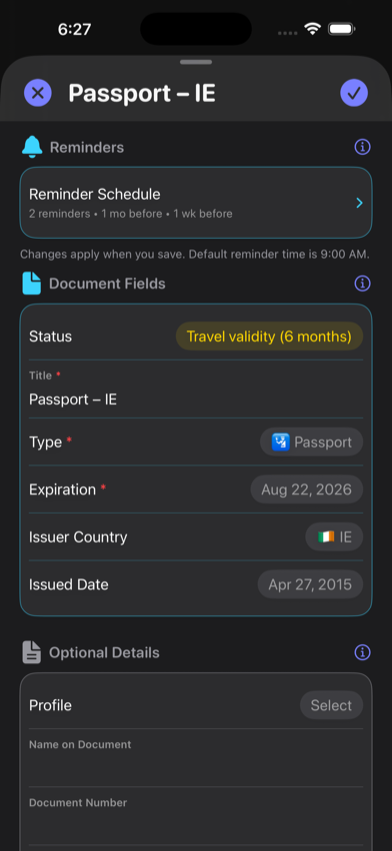
The DG1 MRZ is parsed into suggested passport details. Compare the title, country, dates, name, and document number with the physical passport.
Save only after confirmation
The temporary BAC material and DG1 bytes are not part of the persistent model. The fields you confirm become a normal local RenewalKit record.
What to verify
Compatibility varies by issuing country and document generation
Passport issuers deploy chip standards and access methods differently, so an ePassport from one country or issue period may import while another does not. Check the issuing authority’s information and use camera or manual entry when NFC import is unsupported.
DG1 only
The current reader imports MRZ identity data from DG1. It does not read the face image or other biometric data groups.
BAC compatibility
The current implementation establishes Basic Access Control. A PACE-only chip is outside this path and may not import.
Not authenticity verification
RenewalKit does not perform a border-inspection verification, passive authentication, certificate validation, or eligibility decision.
Troubleshooting
RenewalKit says a valid MRZ is required.
Clean the data page, use even light, avoid glare, include the full MRZ lines, and hold the device steady. If recognition still fails, add the passport with camera, Photos, or manual entry instead.
NFC is unavailable.
Confirm the device supports NFC tag reading and that the app has the required system capability. The Simulator cannot perform a real passport chip read.
The chip stops responding or never completes.
Remove a thick case if needed, try a different antenna position, keep the passport closed or open as its chip placement requires, and hold still. A passport that requires an unsupported access method may not work.
Questions
What does RenewalKit read from the chip?
The current implementation reads DG1 MRZ identity data. It does not read the passport portrait.
Is the MRZ access key saved?
No. The BAC access-key value is transient and is not a field in the saved RenewalKit model.
Does a successful read prove the passport is genuine?
No. The feature imports details; it is not an authenticity or identity-verification service.
Can I use RenewalKit if NFC import fails?
Yes. Use the camera, Photos, or manual entry and confirm the printed expiration date.
Sources & further reading
- ICAO Doc 9303, Part 11
Technical source for chip access control, BAC, PACE, and MRZ-derived access.
- Apple — Core NFC
Platform framework used for NFC tag sessions.